


prayer lock: christian focus
4.8278.00 Reviews
App Specs
- Version
- 4.1.0
- Updated On
- License
- Free
- Downloads
- 10,000+
- Developer
- Covenant Studios LLC
- Categories
- Books & Reference
- Platform
- Android
Screenshots
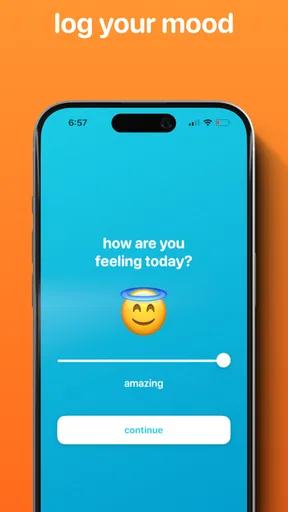
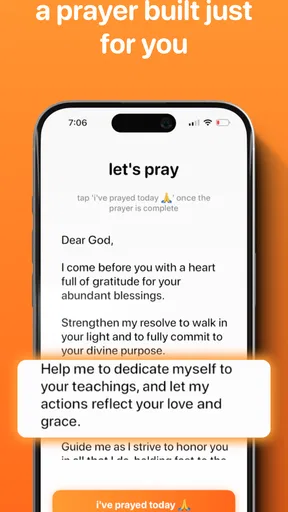
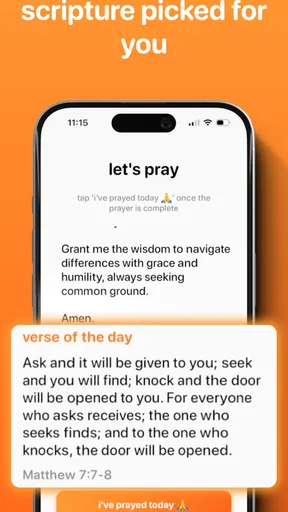
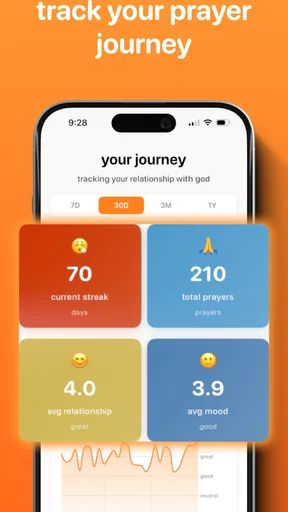
 Analysis by AppCompare
I like the idea behind Prayer Lock: Christian Focus: rather than asking me to resist every buzz and notification through willpower alone, it makes setting the phone aside part of the prayer routine. That is a useful, focused purpose for a Christian devotional app. It is best understood as a small aid to attention, not a replacement for personal prayer, scripture reading, or a church community.
Prayer Lock is a free Books & Reference app from Covenant Studios LLC, with optional in-app purchases ranging from $0.49 to $44.99 per item. It is rated for Everyone, has a 4.8 average from around 5,200 ratings, and has passed 10,000 installs. Those figures suggest that the concept has found an audience, though they cannot tell you whether its approach will suit your habits. I would decide based on whether a deliberate phone barrier feels helpful rather than irritating.
Making a phone pause feel intentional
I find the most useful way to judge a prayer lock is to ask whether it creates a calm opening in the day or simply adds another demand. The difference often comes down to timing: choosing a moment when I can genuinely step away makes the pause feel voluntary, not restrictive. That practical distinction leads naturally to how a phone boundary can support a prayer session.
What the lock changes about a prayer session
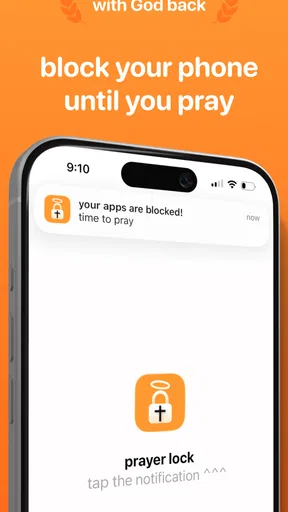
The central choice is practical: put a boundary between yourself and the apps that tend to pull your attention away. That is different from simply opening a Bible or prayer app and hoping not to switch to messages, social feeds, or work. The lock gives the session a clear beginning, which can make a short pause feel more deliberate even when the rest of the day is hectic.
There is a trade-off in that approach. A lock is useful when distraction is the problem, but it can feel too rigid if you need to keep an eye on an urgent call, a family message, or a work responsibility. I would start with a brief session at a time when I can safely be unavailable, rather than testing a longer block during a busy stretch. That lets me see whether the boundary supports prayer without creating unnecessary anxiety.
Building a routine without making it another chore
When I first stumbled upon Prayer Lock, I was curious about how it could fit into my daily routine. The app is designed to help believers find focus in their prayer life by literally locking their phones during prayer time. It’s like having a digital Do Not Disturb sign, but with a divine twist.
Setting up the app was a breeze. You start by choosing your prayer duration, which can range from a quick five-minute session to a more extended hour-long reflection. I appreciated this flexibility because, let’s be real, some days you’ve only got a few minutes between meetings.
Worth Reading Before You Choose

Switching to Android Auto Means Rethinking Your Driving Routine

Google Calendar Makes a Crowded Week Easier to Manage

Baby Panda World Brings Quick Play to Modern Phones, but Its Game Library Feels Busy

ESPN’s Live Game View Makes Following Close Games Easier

QuizzLand Review: A Good Fit for Short Trivia Breaks, Not Every Player

Basketball Stars: Multiplayer Is Fast, but Can It Recover When Matches Go Wrong?
The app also lets you customize prayer reminders. I found it super handy to get a gentle nudge during those busy afternoons when I’d usually forget to take a pause. The reminders are subtle yet effective, and you can tailor them to your schedule with ease.
A useful way to make those choices work in real life is to match the session to the moment, instead of aiming for an ideal routine every day. A short pause before opening your inbox, for example, is more realistic than expecting a long, uninterrupted period on a crowded weekday. Longer reflection can fit better when you already know you will have quiet time. This keeps the tool from turning prayer into another task you feel you have failed to complete.
Reminders are most helpful when they point to an actual opening in your day. I would choose a time linked to an existing transition—before lunch or after finishing work—rather than stacking alerts across the day. If a reminder arrives while you are driving, caring for someone, or in a meeting, it is not a useful invitation. Adjusting the schedule around your responsibilities matters more than receiving frequent nudges.
Where guided support helps—and where it does not
One of the standout features of this app is its simplicity. No distractions, no complex menus—just a straightforward interface that gets you to your prayer time without fuss. Once you start your session, your phone locks, ensuring you stay present. It’s like having a personal spiritual assistant in your pocket.
Another feature I loved is the selection of guided prayers and reflections. For those moments when words don’t come easily, these guided sessions can be a great help. They’re thoughtfully crafted and resonate well with different aspects of daily life.
Guidance is especially useful when I am tired, unsettled, or unsure how to begin. A prompt can give a session direction without requiring me to plan a reading or compose a prayer on the spot. But I would not treat guided material as a complete devotional library or assume it will match every tradition, denomination, or personal need. If I want to study a particular passage closely, follow a church’s reading plan, or use a specific translation, a dedicated Bible or study app is likely a better fit.
That distinction also helps answer a common practical question: is this mainly a prayer resource or a phone-focus tool? Its defining purpose is to create a phone-free boundary for prayer, with guided material supporting that purpose. I would choose it for help protecting a quiet interval, not as my only reference for Christian study. People who already have a preferred devotional practice can still use the lock as a simple companion to it.
Fitting the app around a real day
Now, you might be wondering: does it really work? Honestly, yes. I found that using Prayer Lock helped me establish a more consistent prayer routine. The phone lock feature was surprisingly effective in keeping me away from distractions. No more sneaky peeks at notifications!
Picture a familiar weekday: you finish lunch, have a few minutes before returning to work, and reach for your phone out of habit. A brief prayer session can turn that transition into a purposeful pause. The key is choosing a length that fits the gap and starting when you are ready to be away from the screen. If the next meeting is about to begin or you are waiting for an important reply, postponing the session is more sensible than letting the lock become a source of stress.
The app also offers a community feature that allows you to connect with other users. It’s optional, but if you’re into sharing experiences and gaining insights from others, it adds a nice community vibe to your spiritual journey.
I would keep that social element in perspective. Some people find encouragement in sharing reflections; others pray more comfortably in private. Since community participation is optional, you can treat it as an extra rather than a condition of using the app. If you are looking for a close-knit church group, pastoral guidance, or a way to speak directly with someone you trust, an app community should not be expected to fill that role.
Who will appreciate the phone boundary
Prayer Lock is a strong match for someone whose biggest obstacle is reaching for the phone during a quiet moment. It may also suit a person who wants a gentle reminder and a simple starting point for building consistency, especially if a full-featured devotional platform feels like too much. The practical benefit is not that an app can create faith or discipline for you; it is that it can make one distracting habit harder to follow for a while.
It is less suitable for anyone who must stay reachable throughout the day, relies on their phone for accessibility or urgent caregiving, or dislikes having access restricted even briefly. In those situations, a regular silent setting, placing the device in another room, or using a paper prayer book may offer a better balance. I would also skip it if what you chiefly want is an extensive study reference, a structured course, or a substitute for in-person spiritual support.
Compared with the usual alternatives, the app’s emphasis is narrower and more behavioral than a standard Bible reader. A Bible app helps you find and read scripture; a general focus timer can mark off quiet minutes; Prayer Lock combines prayer-oriented support with a phone lock. That combination is its clearest reason to choose it. If you only need scripture access, the Bible reader may be enough. If you want a distraction barrier for study, work, or meditation rather than prayer specifically, a general focus tool may be more flexible.
Small decisions that make the experience smoother
I would make the first few sessions deliberately low-stakes. Try the lock when you are at home or during a predictable break, and pick a duration that leaves room to finish calmly. This is a better test than starting with the longest session available. Once the routine feels comfortable, you can decide whether a longer pause genuinely helps or whether shorter sessions are easier to keep.
It also helps to decide what you will do before starting. You might choose a guided reflection, bring a passage you already want to consider, or simply sit quietly. That small choice reduces the temptation to unlock the phone just to work out how to begin. If you prefer spontaneous prayer, you do not need to turn every session into a structured exercise; the lock can serve only as a boundary.
One limitation to keep in mind is that the phone lock is only useful when its restrictions fit your circumstances. A tool that prevents casual checking can also interrupt a legitimate need to use the device. I would avoid starting a session when I am expecting an important call, navigating, or depending on the phone for something time-sensitive. The app supports a chosen practice; it cannot judge which interruptions are important in your particular day.
A considered choice, not a cure-all
In a world full of digital noise, finding moments of silence can be challenging. Prayer Lock makes it easier to prioritize your spiritual health without feeling overwhelmed. It’s not just another app; it’s a tool for creating intentional habits that nurture your faith.
Whether you’re new to structured prayer or looking to enhance your existing routine, this app offers a practical solution. I found it genuinely enriching, and it added a layer of peace to my day that I didn’t know I was missing.
The current version is 4.1.0, and the app requires Android 8.0 or later. Its free starting point makes it approachable, while optional purchases mean it is worth checking what is included before spending. I would not assume a paid item is necessary to benefit from the basic idea: the main question is whether the prayer-and-lock approach suits you. Because the age rating is Everyone, it is presented for a broad audience, but families should still decide together whether restricting a device fits their household’s needs.
In conclusion, if you’re on the lookout for an app that respects your focus and enriches your prayer life, Prayer Lock: Christian Focus is worth a try. It’s like having a little sanctuary in your pocket, ready whenever you are.
My recommendation is specific: try it if you want a concrete boundary around prayer and are comfortable being away from your phone for the chosen interval. Keep your expectations grounded, start with a manageable session, and use another resource when your priority is scripture research, urgent availability, or deeper community connection. For the right person, that modest role is exactly what makes the app useful.
Pros
- User-friendly interface for easy navigation.
- Customizable prayer reminders and alerts.
- Offline access to prayer content.
- Diverse range of prayer themes available.
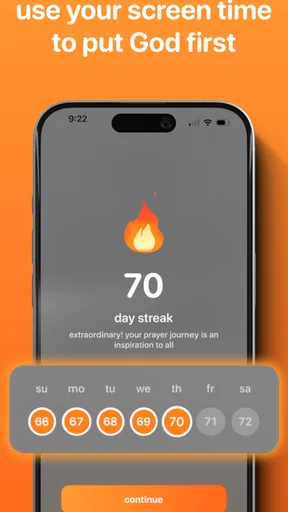
- Encourages daily spiritual discipline.
Cons
- Limited free content in the basic version.
- Occasional ads disrupt user experience.
- No option for group prayer sessions.
- Requires account creation for full features.
- Some prayers locked behind paywall.
FAQs for prayer lock: christian focus
What is Prayer Lock: Christian Focus and how does it work?
Prayer Lock: Christian Focus is an app designed to help users maintain focus during prayer and meditation. It locks your device, minimizing distractions from notifications and other apps. Users can set custom prayer timers, access a library of prayer guides, and track their spiritual journey with daily reflections and journals.
Is Prayer Lock: Christian Focus available for both Android and iOS?
Yes, Prayer Lock: Christian Focus is available for download on both Android and iOS platforms. You can find it on the Google Play Store for Android devices and the Apple App Store for iOS devices. The app offers a seamless experience across both operating systems, ensuring accessibility for all users.
Does the app offer customization options for different prayer practices?
Absolutely. Prayer Lock: Christian Focus provides a variety of customization options to suit different prayer practices. Users can choose from a range of prayer themes, set personalized prayer timers, and access various prayer guides tailored to different Christian denominations. This flexibility allows users to create a personalized spiritual experience.
Are there any in-app purchases or subscriptions required?
Prayer Lock: Christian Focus offers a free version with basic features. However, for users seeking advanced features such as premium prayer guides, extended tracking, and enhanced customization options, there are in-app purchases and subscription plans available. These plans are designed to enhance the overall user experience.
How does the app ensure user privacy and data security?
User privacy and data security are top priorities for Prayer Lock: Christian Focus. The app uses encryption to protect user data and offers privacy settings that allow users to control what information is shared. Additionally, the app does not collect personal data beyond what is necessary for functionality, ensuring a secure and private user experience.


